


guptavikash7994@gmail.com
- January 22, 2026
- Digital Marketing
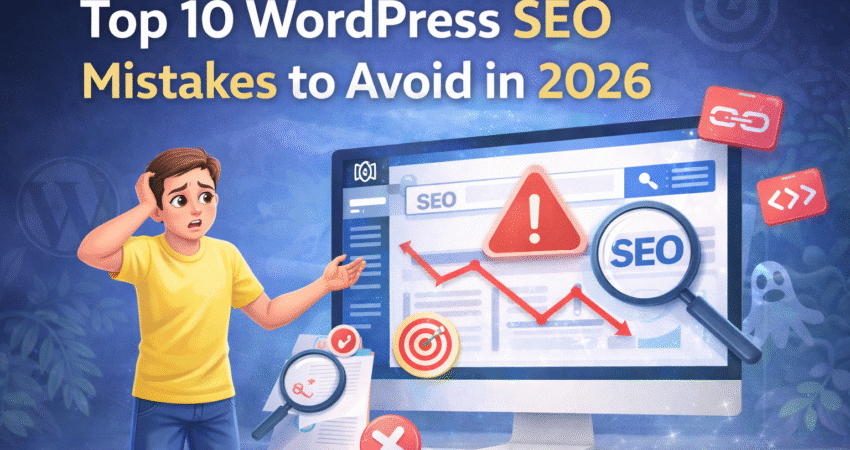
WordPress is a powerful platform, but simply having a site isn’t enough to guarantee visibility. As search engine algorithms become more sophisticated, effective Search Engine Optimization (SEO) is what separates successful websites from the ones lost on the tenth page of search results. In 2026, the SEO landscape continues to evolve, with a greater focus on user experience, technical performance, and intelligent content.
If your WordPress site isn’t performing as well as you’d like, you might be making some common but critical errors. This article will guide you through the top 10 WordPress SEO mistakes many users make and provide actionable steps to fix them. By avoiding these pitfalls, you can improve your rankings, attract more organic traffic, and achieve your website’s goals.
Neglecting Mobile Optimization
In 2026, mobile-first indexing isn’t a trend; it’s the standard. Search engines prioritize the mobile version of your website to determine rankings. If your site looks great on a desktop but is slow or difficult to navigate on a phone, your SEO will suffer significantly. Pages that require users to pinch and zoom or have buttons that are too close together create a poor user experience, leading to high bounce rates and lower rankings.
How to avoid this:
- Use a Responsive Theme: Choose a modern WordPress theme that automatically adjusts its layout to fit any screen size. Most premium themes are built with a mobile-first approach.
- Test Your Site: Regularly use Google’s Mobile-Friendly Test tool to analyze your pages. This tool will tell you if your site meets mobile standards and highlight any specific issues that need fixing.
- Optimize for Touch: Ensure all interactive elements, like buttons and links, are large enough and have enough space around them to be easily tapped.
Ignoring Core Web Vitals
Core Web Vitals are a set of specific metrics that Google uses to measure a site’s overall user experience. These metrics evaluate loading speed, interactivity, and visual stability. Ignoring them is a major mistake, as they are a confirmed ranking factor. A site that loads slowly or has elements that shift around as the page loads will be penalized.
The three main Core Web Vitals are:
- Largest Contentful Paint (LCP): How long it takes for the largest element on the page to load.
- First Input Delay (FID): How long it takes for the browser to respond to a user’s first interaction.
- Cumulative Layout Shift (CLS): How much the page layout shifts unexpectedly during loading.
How to avoid this:
- Optimize Images: Compress images before uploading them to WordPress. Use modern image formats like WebP.
- Choose Good Hosting: A fast and reliable hosting provider is the foundation of good site speed.
- Use a Caching Plugin: Plugins like W3 Total Cache or WP Rocket can dramatically improve your site’s loading times.
- Monitor Your Vitals: Use Google Search Console to check your site’s Core Web Vitals report and identify pages that need improvement.
Overloading with Plugins
WordPress plugins are fantastic for adding functionality, but having too many can be a recipe for disaster. Each plugin adds code to your site, and an excessive number can lead to slower loading times, security vulnerabilities, and conflicts that can break your website. Many users install plugins for minor tasks and forget to remove them, creating unnecessary bloat.
How to avoid this:
- Be Minimalist: Only install plugins that are absolutely necessary for your site’s functionality.
- Audit Regularly: Every few months, go through your list of installed plugins. Deactivate and delete any you are no longer using.
- Choose Quality Over Quantity: Opt for well-coded, reputable plugins from trusted developers, even if it means paying for a premium version. A single, multi-functional plugin is often better than three separate ones.
Using the Default Permalink Structure
By default, WordPress sets your permalink structure to a “Plain” format, which looks something like yourwebsite.com/?p=123. This structure is not SEO-friendly. It tells users and search engines nothing about the content of your page. A descriptive URL is a small but significant ranking factor that helps both parties understand your page’s topic at a glance.
How to avoid this:
- Change to “Post Name”: In your WordPress dashboard, go to Settings > Permalinks. Select the “Post name” option. This will create clean, keyword-rich URLs like yourwebsite.com/your-post-title/.
- Set it and Forget It: If you have a new website, make this change immediately after installation. If you are changing it on an established site, be aware that it will change all your existing URLs. You will need to set up 301 redirects to avoid broken links.
Not Using an SEO Plugin
WordPress is SEO-friendly out of the box, but it doesn’t handle everything. Without a dedicated SEO plugin, you miss out on crucial tools for optimizing your content. These plugins simplify complex SEO tasks, allowing you to easily add meta titles, descriptions, and Open Graph data, as well as create XML sitemaps.
How to avoid this:
- Install a Reputable SEO Plugin: Popular choices like Yoast SEO, Rank Math, or All in One SEO provide a comprehensive suite of tools.
- Configure It Correctly: Don’t just install the plugin; walk through its setup wizard. Configure the settings to match your site’s needs, including setting up your site’s name and social profiles.
- Use Its Features: Pay attention to the on-page analysis tools these plugins offer when you are writing posts and pages. They provide valuable feedback for improving your content’s SEO.
Ignoring Image SEO
Images make your content more engaging, but if not optimized, they can hurt your SEO. Large, unoptimized image files are a primary cause of slow page load times. Furthermore, many users miss the opportunity to gain traffic from Google Images by neglecting to use descriptive file names and alt text.
How to avoid this:
- Compress Images: Use a tool like TinyPNG or an image optimization plugin to reduce file sizes without sacrificing quality.
- Use Descriptive File Names: Before uploading, rename your image files to describe what they show (e.g., wordpress-seo-mistakes.jpg instead of IMG_9876.jpg).
- Write Good Alt Text: Alt text (alternative text) describes the image for visually impaired users and search engines. Write clear, descriptive alt text for every image you upload.
Skipping Internal Linking
Internal links are hyperlinks that point from one page on your site to another. They are incredibly important for SEO. Internal linking helps search engines understand your site structure, discover new content, and see the relationship between different pages. It also helps spread link equity (ranking power) throughout your site and keeps visitors engaged longer.
For more practical tips and inspiration, check out these examples from DigitalASAP’s blog:
- Common Website Mistakes That Kill Conversions — Highlights frequent missteps, including missed opportunities for internal linking.
- Best Tools for Content Creation in 2025 — See how linking between related tools and guides enhances user journey.
- How to Increase Website Engagement Through Interactive Content — Demonstrates how linking to related resources can keep readers on your site longer.
- Top 10 Website Design Trends to Watch Out for in 2025 — Examples of connecting design concepts with actionable tips through internal links.
- Digital Marketing Services in Mumbai — Shows how service pages and blog articles are interlinked for better SEO and navigation.
Explore more SEO insights and strategies in What is DigitalASAP? Transforming Businesses with Rapid Digital Solutions. and The Role of AI in Revolutionizing Digital Marketing Strategies in 2025.
How to avoid this:
- Link Strategically: When writing a new post, look for opportunities to link to other relevant articles on your site. Use descriptive anchor text that tells the user what the linked page is about.
- Build Topic Clusters: Create a “pillar” page for a broad topic and then link to it from more specific “cluster” articles. This shows search engines you are an authority on that topic.
- Fix Broken Links: Regularly use a tool like the Broken Link Checker plugin or an online scanner to find and fix broken internal links.
Publishing Thin or Low-Quality Content
Search engines in 2026 are better than ever at evaluating content quality. Pages with “thin” content—those with very little text or information that doesn’t provide real value—are unlikely to rank. AI-generated content that hasn’t been carefully edited and fact-checked can also fall into this category. Your goal should be to create comprehensive, helpful, and unique content that fully answers a user’s query.
How to avoid this:
- Focus on Value: Before writing, ask yourself what problem your content solves or what question it answers for the reader. Aim to create the best resource on the topic.
- Aim for Depth: Longer, in-depth articles tend to rank better than short, superficial ones. Cover a topic thoroughly and include examples, data, and unique insights.
- Humanize AI Content: If you use AI tools for content creation, treat the output as a first draft. You must edit, fact-check, and add your own expertise and voice to make it valuable.
Forgetting XML Sitemaps
An XML sitemap is a file that lists all the important pages on your website, acting as a roadmap for search engine crawlers. Without one, you make it harder for search engines to find and index all your content, especially on larger sites or new sites with few external links.
How to avoid this:
- Use Your SEO Plugin: Most modern SEO plugins (like Yoast SEO or Rank Math) will automatically generate and update an XML sitemap for you.
- Submit Your Sitemap to Google: Once your sitemap is generated, copy its URL and submit it to Google through your Google Search Console account. This tells Google exactly where to find it.
Not Securing Your Website (HTTPS)
Website security is a top priority for search engines. Google has used HTTPS as a ranking signal for years, and in 2026, it’s non-negotiable. A site that still uses HTTP is flagged as “Not Secure” by most browsers, which deters visitors and signals to search engines that the site may be untrustworthy.
How to avoid this:
- Install an SSL Certificate: Most web hosts offer free SSL certificates (often from Let’s Encrypt). Contact your hosting provider to have one installed on your domain.
- Update Your WordPress Settings: In your WordPress dashboard, go to Settings > General and ensure your “WordPress Address (URL)” and “Site Address (URL)” both start with https://.
- Redirect HTTP to HTTPS: Use a plugin like Really Simple SSL or configure your server to automatically redirect all HTTP traffic to the secure HTTPS version of your site.
Conclusion: Audit and Adapt
Your WordPress website is a dynamic tool, and so is the world of SEO. Avoiding these ten common mistakes is a huge step toward improving your search engine performance. However, the work doesn’t stop here. The key to long-term SEO success is continuous learning and adaptation.
Take the time to audit your current SEO practices. Use the tips outlined above to identify areas for improvement and start making changes today. Stay informed about the latest SEO trends and algorithm updates to ensure your strategy remains effective. By being proactive, you can keep your WordPress site competitive and visible for years to come.
About DigitalASAP
DigitalASAP is a leading digital marketing agency specializing in WordPress SEO, website optimization, and tailored marketing solutions for businesses of all sizes. With a team of experienced professionals, DigitalASAP helps you boost your website’s visibility, improve search rankings, and grow your brand online.
Looking for expert guidance or more resources? Check out some of our in-depth blog articles designed to help you master every aspect of digital marketing and WordPress SEO:
- Common Website Mistakes That Kill Conversions
- Digital Marketing Services in Mumbai — Grow Your Business Online with DigitalASAP
- Best Tools for Content Creation in 2025
- The Role of AI in Revolutionizing Digital Marketing Strategies in 2025
- How to Increase Website Engagement Through Interactive Content
- Top 10 Website Design Trends to Watch Out for in 2025
- How Social Media Marketing is Evolving in 2025
Or visit DigitalASAP.in for a full range of articles, guides, and services to help you succeed in the ever-evolving digital landscape.
Frequently Asked Questions (FAQ)
What are the most important SEO factors for WordPress in 2026?
In 2026, mobile optimization, Core Web Vitals, secure (HTTPS) connections, quality content, proper use of SEO plugins, fast loading times, and structured internal linking are essential for strong WordPress SEO results.
Can I rely solely on SEO plugins to optimize my site?
SEO plugins are powerful tools, but they can’t do everything. You’ll still need to create valuable content, optimize images, build internal links, and monitor site performance regularly.
How important is mobile optimization for SEO success?
Extremely important. With mobile-first indexing now standard, sites that don’t perform well on smartphones or tablets are likely to see decreased search rankings.
What is the best way to avoid slow load times on my WordPress site?
Use a fast hosting provider, optimize your images, limit unnecessary plugins, and implement a caching solution to keep your site speedy.